
Why Every Business Should Be
Using a Password Manager
Managing passwords shouldn't put your organisation at risk
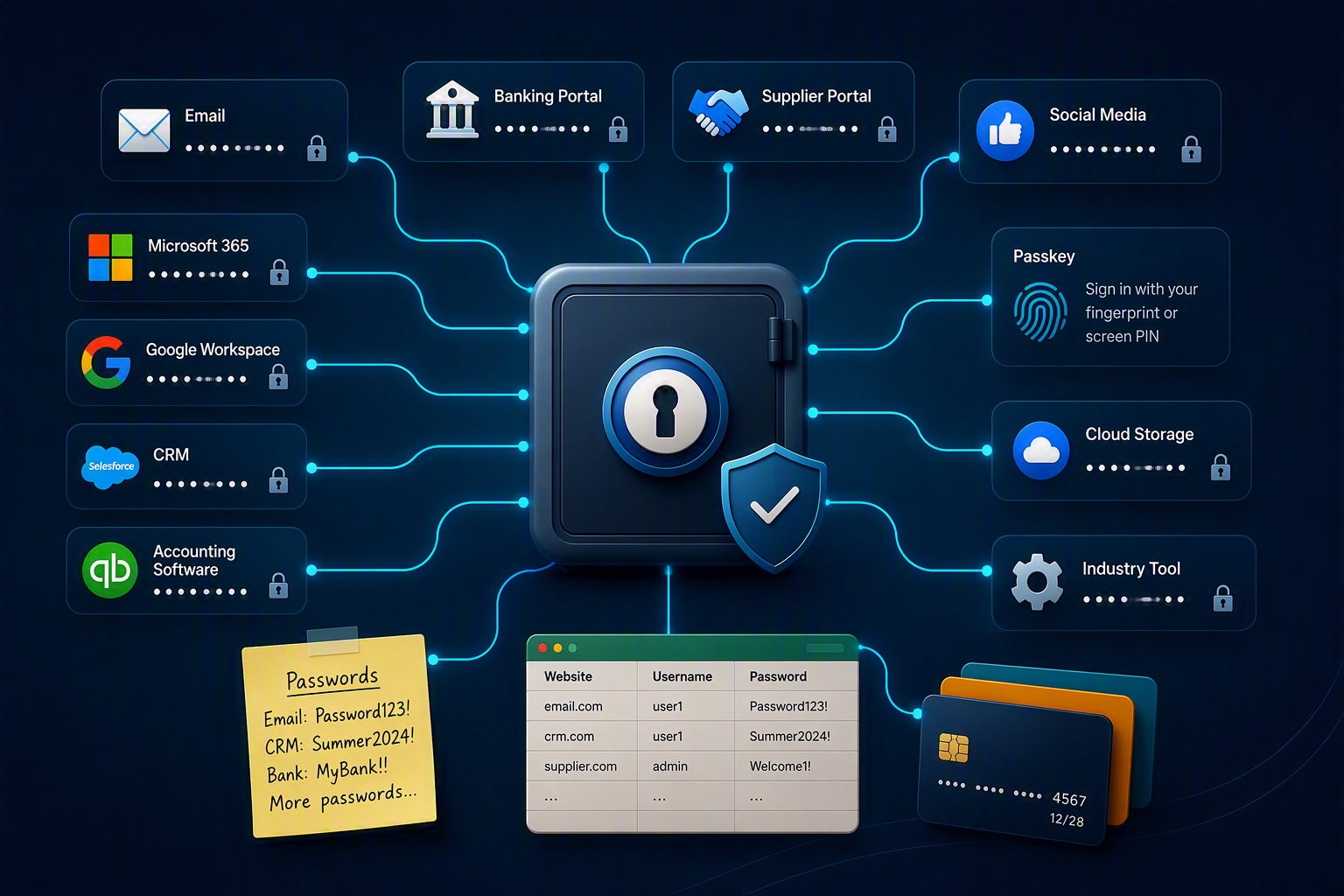
The average business has a lot of login credentials: email, accounting software, CRM, banking portals, supplier websites, social media accounts, plus all of the industry-specific tools your business relies on.
Industry Insight
“The typical user has dozens of passwords to remember – not just ones used at work. To cope with this overload, users resort to insecure workarounds (such as password reuse or using common passwords), and these are exploited by attackers.”It’s common for passwords to be reused, stored in spreadsheets, written down and shared between colleagues, and whilst this may seem harmless, it introduces security risks and leaves your business vulnerable.
This guide explains:
What is a password manager?
A password manager is a purpose-built tool for safely storing sensitive information, like login credentials and payment details, which can quickly sign you into apps and web pages via a browser extension or standalone app.
A good password manager helps you:
- Generate strong & unique passwords
- Save & autofill login credentials
- Access passwords across multiple devices
- Store payment cards & bank details
- Securely share passwords with colleagues
- Save passkeys & other authentication details
For business owners, password managers provide peace of mind by helping employees follow security best practices and reduce the risk of unauthorised access to company systems and data.
Why passwords become difficult to manage
Most organisations don’t intentionally adopt poor password practices, and most of us know it’s important to use long combinations of hard to guess words, upper case characters, numbers and special characters.
The problem is that a truly difficult to guess password is also much harder to remember, if not impossible!
Industry Insight
“61% of employees have poor password practices, such as reusing passwords or failing to change default credentials.”
Without the right tools in place, team members are often left to find their own ways of managing passwords, which leads to bad habits like:
- Sending passwords or new starter credentials via email
- Storing passwords in spreadsheets or documents
- Writing passwords down
- Reusing the same password across multiple accounts
Providing employees with the right tools from the outset makes it much easier to follow security best practices, reduces reliance on risky workarounds, and helps keep company systems and data secure.
The benefits of using a password manager
So what else does a password manager do, other than store usernames and passwords?
Better security
By generating strong, unique passwords for every account, password managers help eliminate password reuse and significantly reduce the risk of compromised credentials.
Improved productivity
Instant access to usernames and passwords simply makes life easier, helping employees stay focused on their work instead of hunting down credentials or relying on head knowledge from colleagues.
Easier onboarding and offboarding
New starters can be given access in minutes, whilst leavers can be removed just as quickly, helping businesses stay in control of who has access to what.
Cyber Essentials compliance
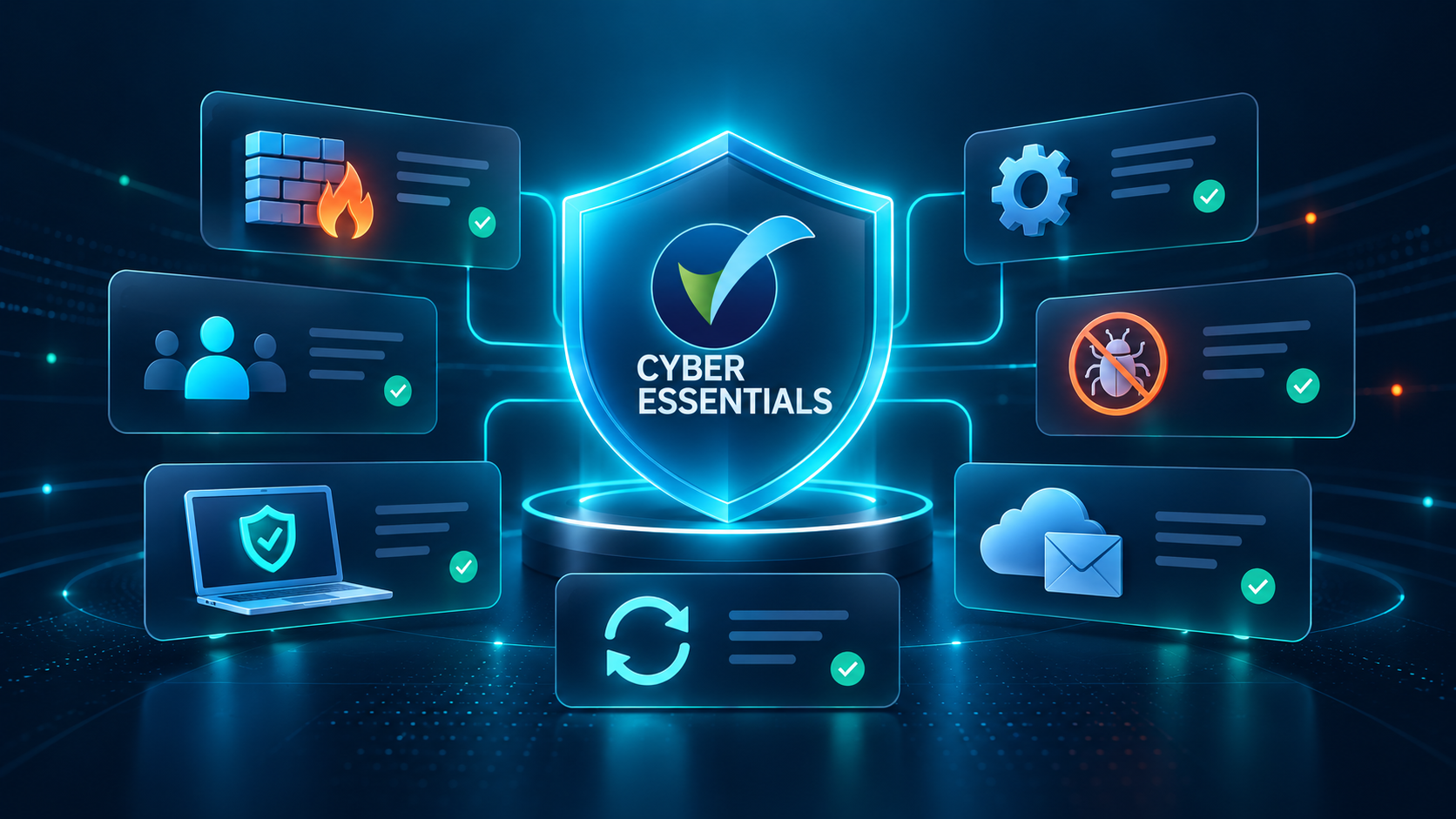
Password managers also provide a practical and easy way for teams to adhere to security best practices, including the requirements for Cyber Essentials accreditation.
Multi-factor authentication (MFA)
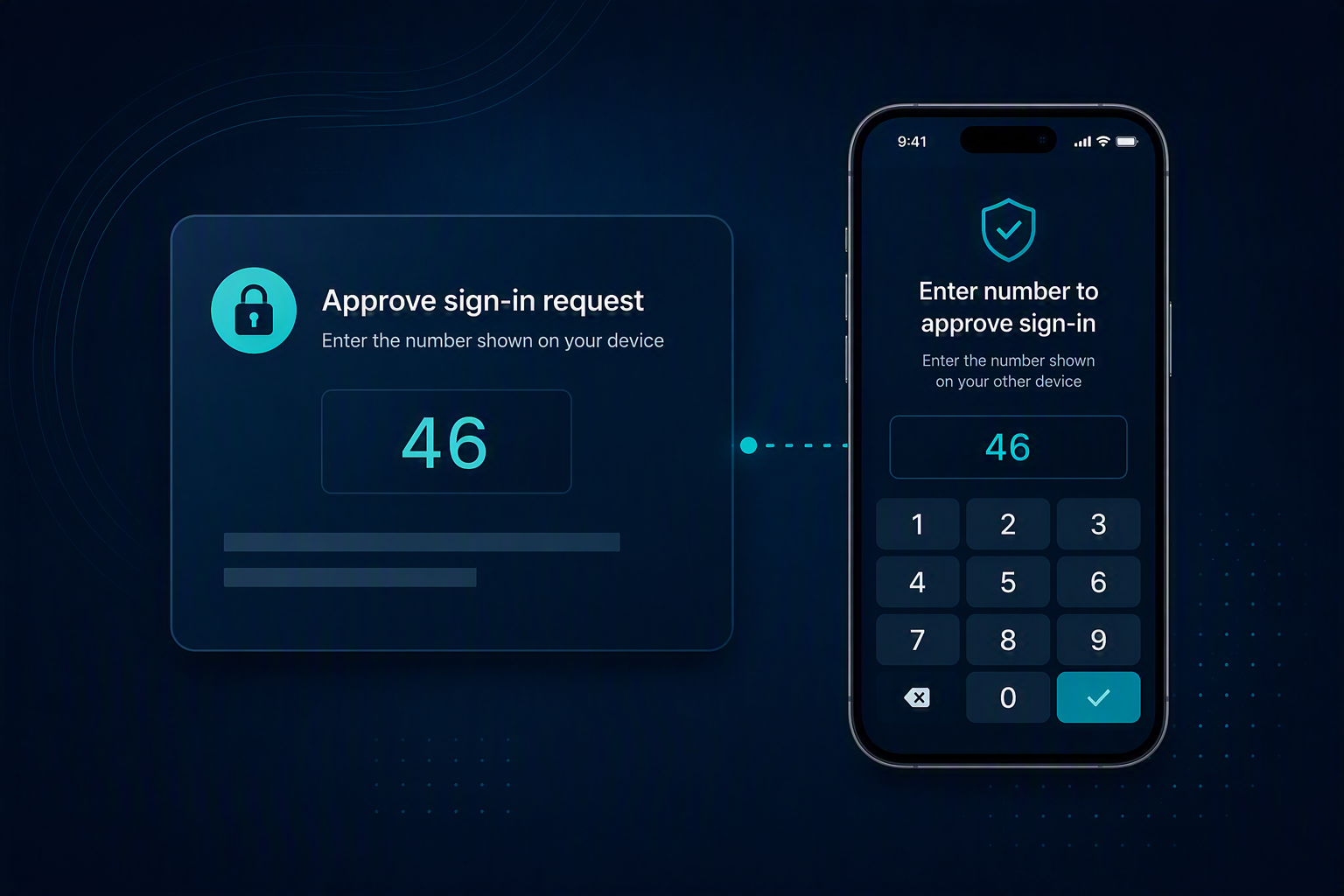
MFA (multi-factor authentication) and 2FA (two-factor authentication) are often used interchangeably to describe an extra step that is taken to sign into an account. This is typically in the form of a time-sensitive code that needs to be entered alongside a username and password to confirm it’s really you.
Even if somebody obtains your password, MFA adds another layer of protection and makes it significantly harder for unauthorised users to gain access to your accounts.
Did you know?
Password managers can also generate and store MFA codes, removing the need for a separate authentication app. Authentication codes are automatically populated directly on your device, removing the need to manually enter time-sensitive codes from your phone.
Passkeys
A passkey is a newer way of signing in that moves away from usernames, passwords and authentication codes, and instead uses your device’s biometrics (such as Face ID or a fingerprint) or a screen PIN to sign you in securely.
Industry insight
“Passkeys are more secure than passwords, because they are resistant to phishing attacks and are not vulnerable to being guessed or reused.”Did you know?
Password managers can generate, store and manage passkeys alongside usernames, passwords and MFA codes. As more websites and applications begin adopting passkeys, introducing a password manager today helps future-proof the way your business manages authentication.
Why we chose 1Password
At Piran Tech, we only recommend solutions that we’re confident in, know provide good value to our customers, and that we would happily use ourselves.
That’s why we’ve chosen to partner with 1Password. Widely regarded as one of the leading password managers on the market, you’ll soon wonder how you ever managed without.
What stands out?
- Secure password sharing across the team
- Single place for MFA codes and Passkeys
- Biometric sign-in with your face or fingerprint
- Shared vaults for departments
- Alerts for compromised credentials
- Microsoft Entra ID integration
One of our favourite 1Password features is Watchtower
It proactively monitors your stored credentials for security issues, such as weak or reused passwords, accounts that don’t have MFA enabled, and most importantly, credentials that have appeared in known data breaches.
Have Your Credentials Already Been Exposed?
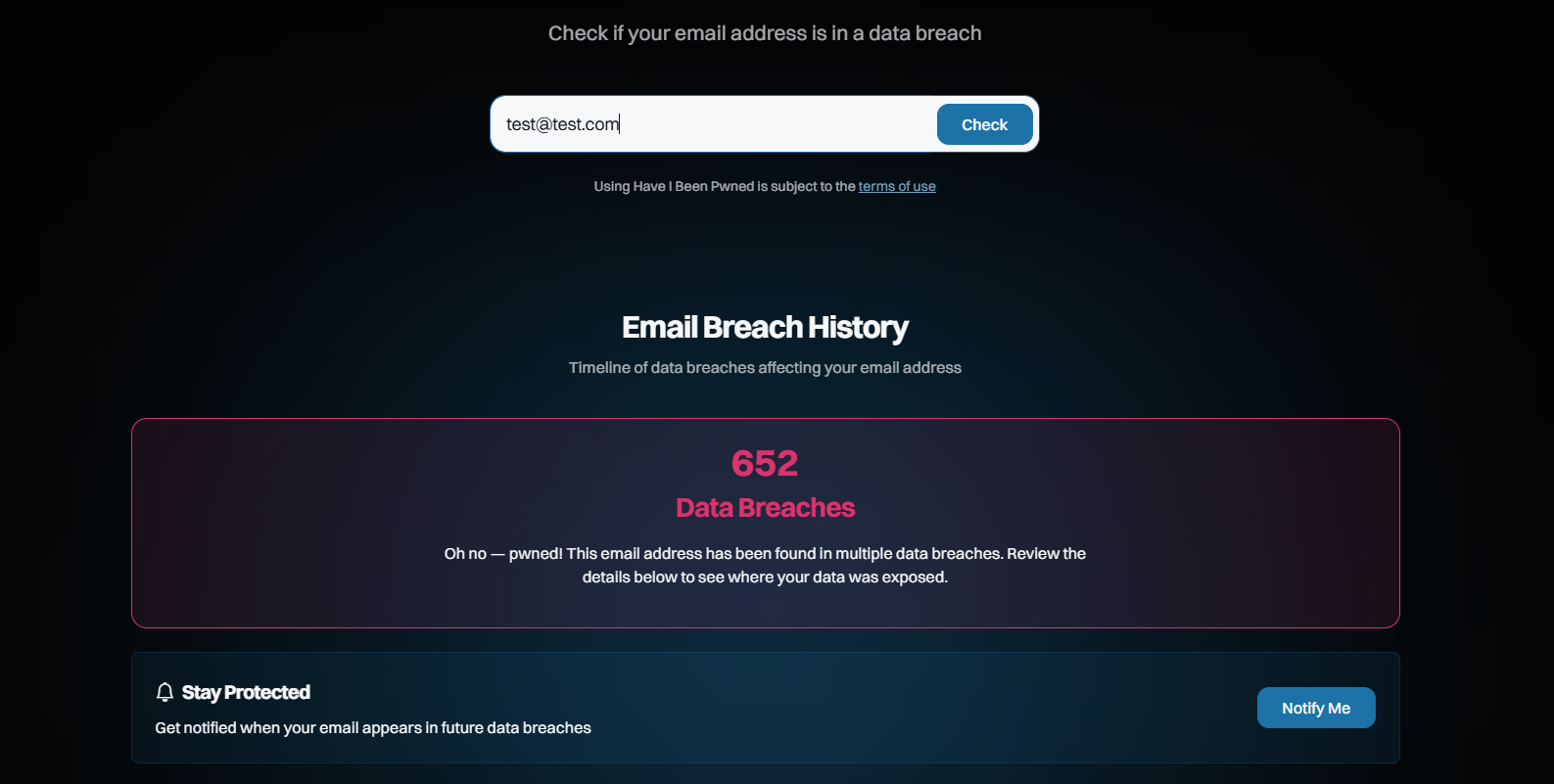
Have I Been Pwned is a free service that allows you to check whether your email address and passwords have been exposed in known data breaches.
Check your email here → haveibeenpwned.com
If your email address does appear, don’t panic! We would however urge you to update any affected credentials. This highlights why unique combinations are so important and why password reuse remains one of the biggest security risks for businesses.
Frequently Asked Questions: Password Managers for Businesses
Isn't putting all my passwords in one place risky?
Password managers are specifically designed to protect sensitive information. A dedicated tool is significantly safer than storing in a spreadsheet, document, notebook or reusing the same passwords.
I store my passwords in my browser. Isn't that enough?
Browser password saving is useful for convenience, but organisations often need secure sharing, department access controls, security monitoring and auditing features that browsers are not designed to provide.
We're only a small business. Are we really a target?
Many cyber attacks are automated and opportunistic. Attackers frequently look for weak passwords and exposed accounts, rather than targeting specific organisations. Businesses of all sizes can be affected.
Do password managers replace MFA?
No. Password managers and MFA work best together. A password manager helps create and store strong credentials, whilst MFA provides an additional layer of protection.
Can password managers store passkeys?
Yes. Modern password managers, including 1Password, can already store and manage passkeys alongside usernames, passwords and MFA codes.
How difficult is it to get started?
Most businesses can begin using a password manager in a matter of hours. Employees often adapt quickly because password managers make signing in easier, not harder.
Time to adopt a password manager?
Strong passwords, Multi-Factor Authentication (MFA) and passkeys all play an important role in protecting your business. The challenge is making them easy to manage, and that’s where a password manager can make all the difference.
1Password is a great solution if you’re looking to improve security, support Cyber Essentials compliance or simply make life easier for your team. We can help you set it up, manage it and make sure all your passwords are secure: get in touch with the Piran Tech team to learn more.
If you’d like help with your wider cyber security strategy, endpoint protection, or anything else, book a free discovery call with our team to find out how we can help.

We've helped hundreds of businesses protect their systems
Whether you're a small team or a fast-growing corporation, putting a secure cyber security plan in place can feel daunting. We're here to help you make sure all the bases are covered.